✨
Hook-based AI integration
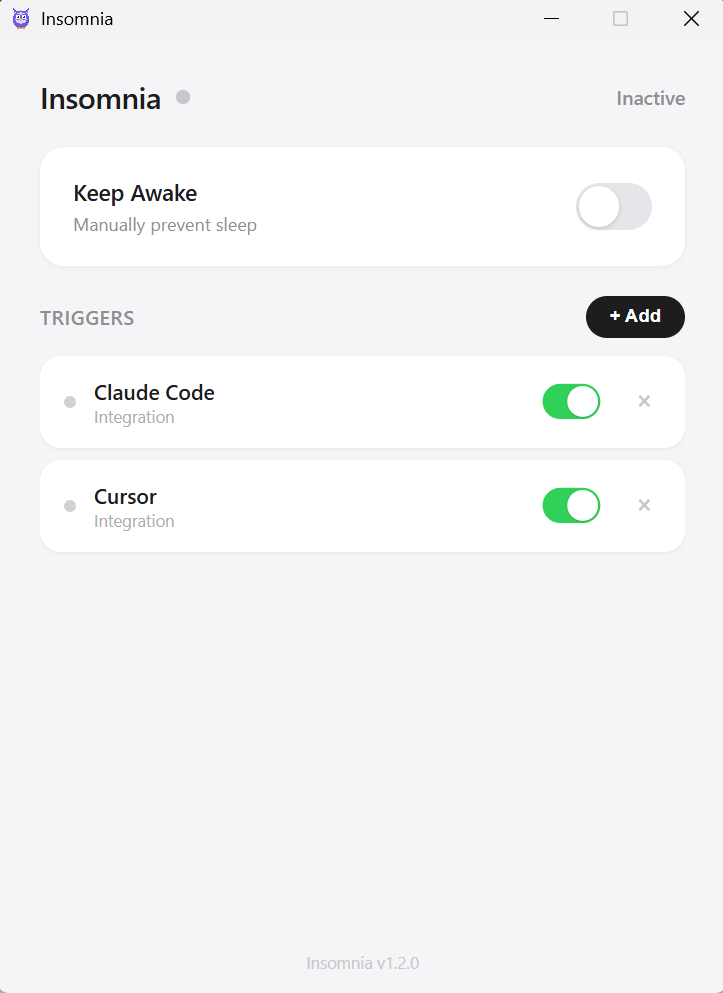
For Claude Code and Cursor, Insomnia hooks directly into the tool's event system — awake while the AI is working, asleep the moment it stops. Precise to the second.
📋
App watching
Add any app as a trigger. Insomnia auto-discovers every installed app on your system. When it's running, you stay awake. When it closes, you don't.
🔘
Manual toggle
Need to stay awake right now? One switch. No timers, no fuss. Toggle it off when you're done. Perfect for presentations.
🦉
Lives in the tray
A purple owl means awake. A grey owl means inactive. The hover tooltip tells you exactly why. Close the window — it keeps running.
⚡
Zero bloat
Plain HTML, CSS, and JS. No React. No bundler. Zero external runtime dependencies. Installs in seconds and uses almost no resources.
🔒
Local and private
Nothing leaves your machine. No telemetry, no accounts, no cloud. Settings are stored locally and that's it.